Environment and Materials

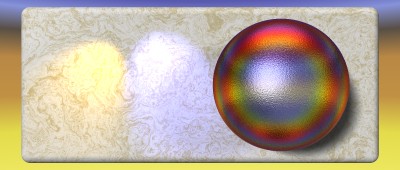
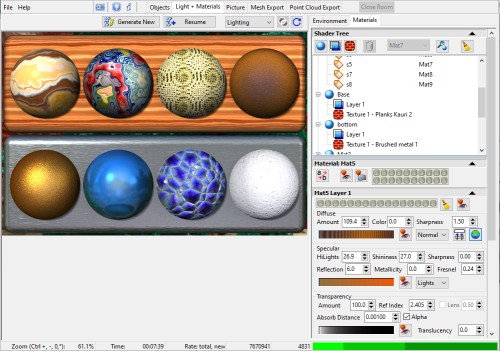
For rendering images, two rooms are used; the Light + Materials room and the Picture room.
The Light + Materials room has several purposes:
The Picture room is for rendering the resulting image, exporting depth maps, and saving them.
The environment map (360 degree) is used for reflections and transparency with refraction. It can be a gradient, image, or Environment Texture, and has pan and roll controls.
The camera view background can be the same, or it can be a separate gradient, image, or Environment Texture in panoramic or projected view. Stereo views are supported. More about Environment Textures below.
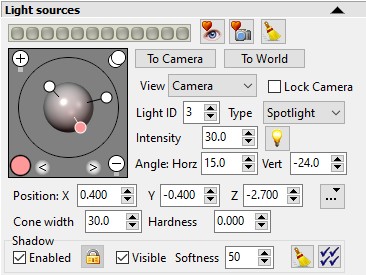
The Light Sources panel has controls to define the light sources. There are three types: distant (parallel) lights, spotlights and point lights, plus ambient light.
Distant lights, spotlights and point lights can cast shadows, with adjustable softness.
Lights are defined in world space for animation purposes. You can view them in camera or world space and rotate them between spaces.
System and user presets allow saving useful light configurations.
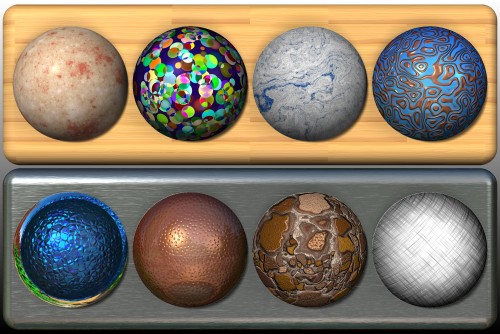
Materials determine how an object responds to light and the resulting appearance. Materials can have one or more layers. Each layer can get its color from holons or 3D Textures. Layers are blended according to their transparency properties, layer opacity and blend mode. 3D Textures can also modulate the layer opacity, refractive index and add bump mapping. Material presets offer a convenient library and you can save your own.
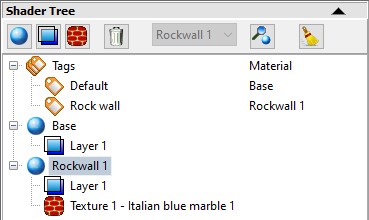
The Shader Tree panel shows the assignment of holon tags to materials, and the layers and textures for each material.
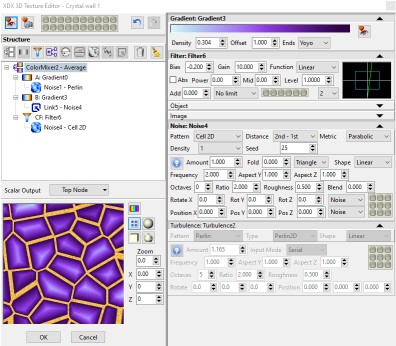
Presets are a convenient way to choose 3D textures for materials. The 3D Texture Editor lets you modify them or create your own. The editor opens in a separate dialog. It is node-based, using a tree structure for simplicity (plus node links for flexibility.) 3D Textures have a color output and a scalar output for modulation (mostly for layer opacity or bump mapping.) The texture pattern can come from any combination of noise formulas, image files and the object color or depth. There are also nodes for color mixers, mixers, filters and turbulence.
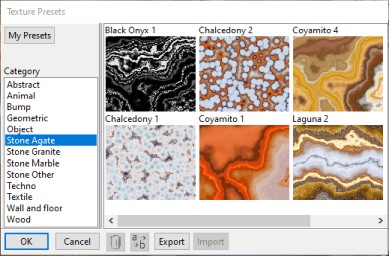

Environment Textures are generally panoramic (360 degrees) with one or more layers. Layers can have different types (sky, cloud, ground, cylinder, plane or moon), allowing planetary outlooks, other constructions or abstracts. Presets are a convenient way to choose them. The Environment Texture Editor lets you modify them or create your own. The editor opens in a separate dialog. It is node-based, using a tree structure for simplicity (plus node links for flexibility.) The Sky node has a somewhat realistic sky model, extended from the Preetham model to allow a wide range of coloring, and allows input from a gradient for even more possibilities. A Bump Map node allows shading effects. Other nodes are similar to 3D Textures (but with no Object or Image nodes). The preview pane can show panoramic or perspective views, as can the preset dialog.
